Configuration
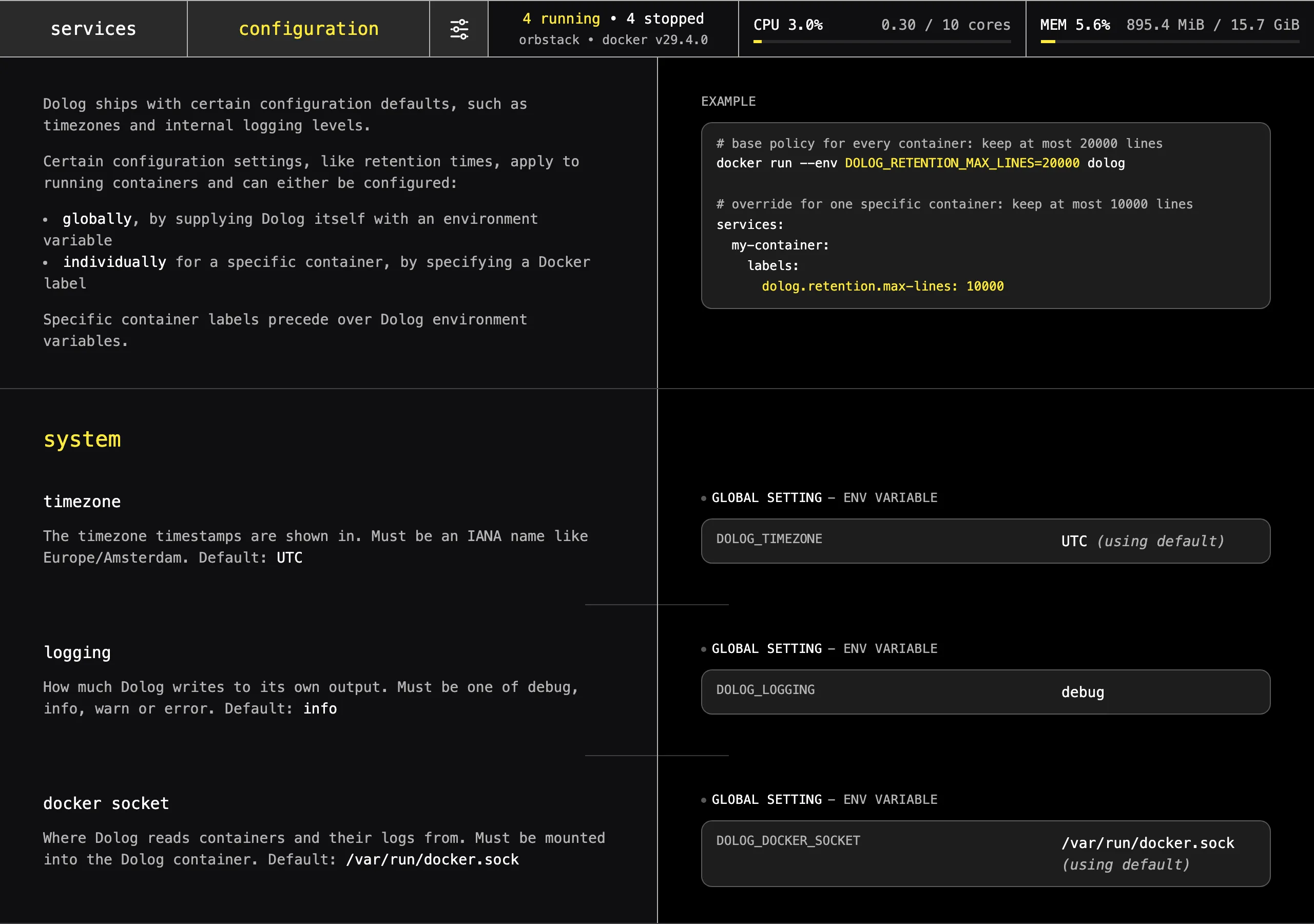
Dolog itself is configured through environment variables, but individual Docker containers can override their own settings (like retention, throttling or alerting) via labels.
Container labels take precedence over Dolog's own environment variables.
# base policy for every container: keep at most 20000 lines
docker run --env DOLOG_RETENTION_MAX_LINES=20000 butterhosting/dolog

# override for one specific container: keep at most 10000 lines
docker run --label dolog.retention.max-lines=10000 postgres
The configuration page inside Dolog lists every setting along with its current value, and the labels which were detected on your containers.
Retention
Retention decides how long logs are kept. There are two limits, and a line is removed as soon as it exceeds either of them.
| Variable / Label | Description |
|---|---|
DOLOG_RETENTION_TIME_WINDOWdolog.retention.time-window | How long a container's logs are kept |
DOLOG_RETENTION_MAX_LINESdolog.retention.max-lines | How many lines are kept per container, oldest lines go first |
Durations are strings like 30m, 24h or 180d.
Throttling
Throttling protects your disk against chatty containers, by giving every container a certain budget.
| Variable / Label | Description |
|---|---|
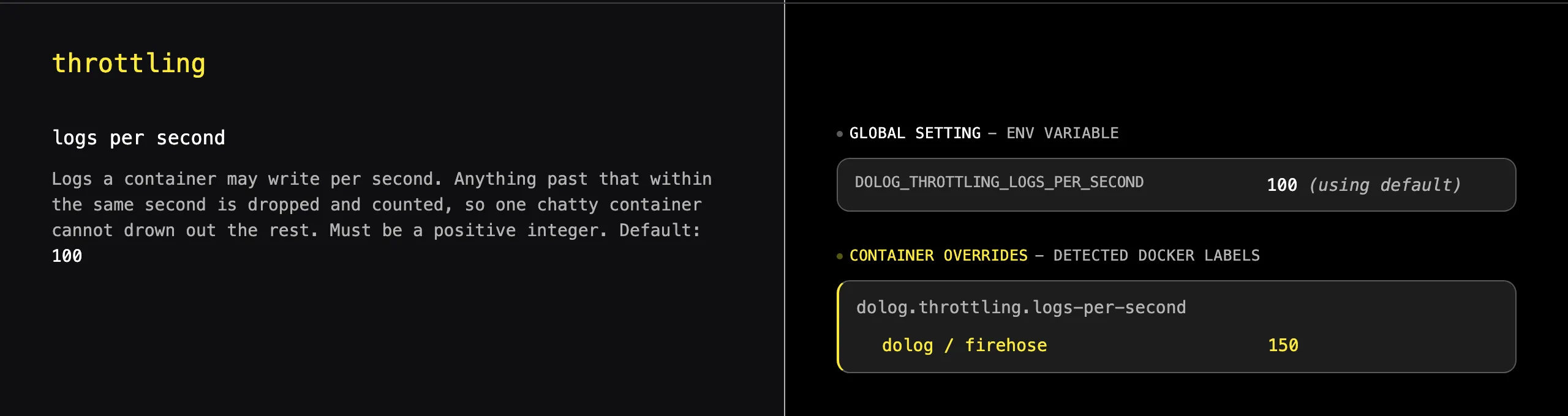
DOLOG_THROTTLING_LOGS_PER_SECONDdolog.throttling.logs-per-second | How many lines a container may write per second |
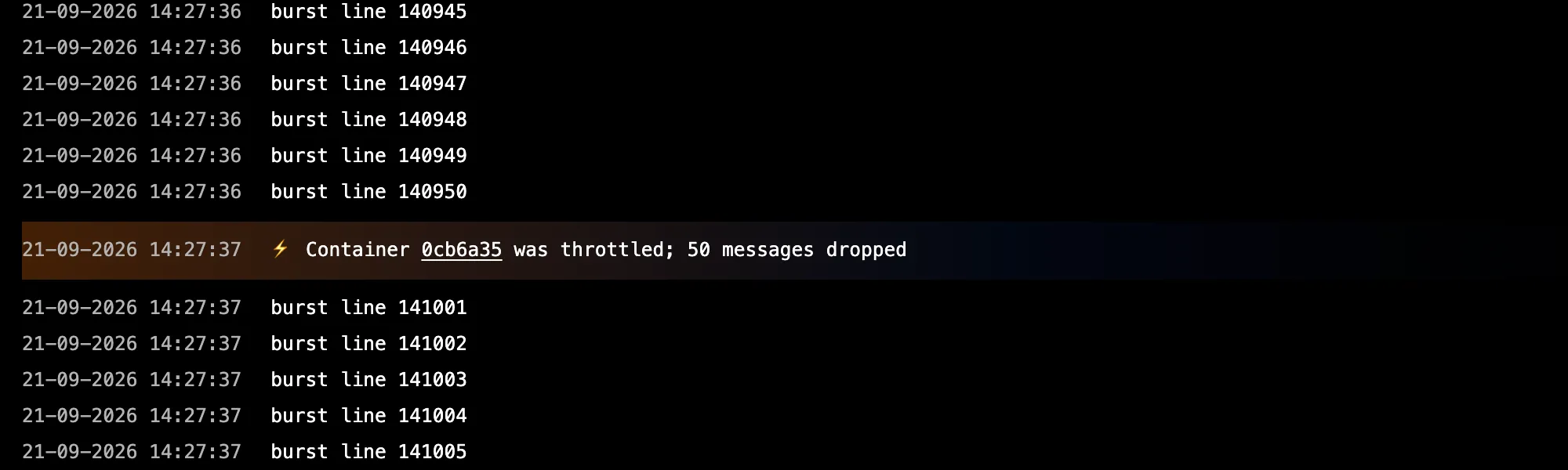
If a container is legitimately chatty, raise its budget with a label rather than raising the budget for everyone.
Alerting
Dolog can alert you by sending webhook notifications. Two types of alerts:
- Text alerts: a container wrote a line matching some regular expression
- Throughput alerts: a container is writing more lines per second than a given threshold
Webhooks are defined once, by name, through the DOLOG_WEBHOOKS environment variable, see Environment vars. The policies below decide what to alert on, and which of those webhooks receives it.
| Variable / Label | Description |
|---|---|
DOLOG_ALERTING_WEBHOOK_REFdolog.alerting.webhook-ref | The name of the webhook to use for alerting |
DOLOG_ALERTING_TEXT_PATTERNdolog.alerting.text-pattern | A (case-sensitive) regular expression |
DOLOG_ALERTING_THROUGHPUT_THRESHOLDdolog.alerting.throughput-threshold | A number of lines per second |
DOLOG_ALERTING_COOLDOWN_WINDOWdolog.alerting.cooldown-window | How long to stay quiet after an alert |
A common setup is to point every container at the same webhook, and to decide per container what's worth an alert.
services:
  # Dolog itself defines the webhook via env vars
  dolog:
    image: butterhosting/dolog
    environment:
      # (1/2) define one or multiple named webhooks
      DOLOG_WEBHOOKS: |
        api=https://example.com/hooks/api
        db=https://example.com/hooks/db
      # (2/2) configure Dolog to use the "api" webhook by default
      DOLOG_ALERTING_WEBHOOK_REF: api

  # Individual containers can declare their own alerting criteria
  api:
    image: my-api:latest
    labels:
      dolog.alerting.text-pattern: "ERROR|FATAL"
  db:
    image: my-db:latest
    labels:
      dolog.alerting.throughput-threshold: 100
      dolog.alerting.webhook-ref: db
Payload
Alerts are sent as a POST request with a JSON body. A text alert includes the line which caused it.
{
  "id": "01998c3a-0000-7000-8000-000000000000",
  "object": "alert",
  "timestamp": "2026-09-21T10:11:12.123456789Z",
  "service": {
    "id": "3130303377656273686f70",
    "link": "/services/3130303377656273686f70/logs",
    "dname": "web",
    "dgroup": "shop"
  },
  "type": "text",
  "containerEventId": "01998c3a-0001-7000-8000-000000000001",
  "match": {
    "pattern": "ERROR|FATAL",
    "line": "FATAL out of memory"
  }
}
A throughput alert includes the measured number of lines per second.
{
  "id": "01998c3a-0002-7000-8000-000000000002",
  "object": "alert",
  "timestamp": "2026-09-21T10:11:12.123456789Z",
  "service": {
    "id": "3130303377656273686f70",
    "link": "/services/3130303377656273686f70/logs",
    "dname": "web",
    "dgroup": "shop"
  },
  "type": "throughput",
  "breach": {
    "threshold": 300,
    "logsPerSecond": 400
  }
}