Configuration
All of Brespi's configuration (pipelines, schedules and notification policies) gets stored in a single config.json file.
Any changes you make in the UI (adding a pipeline, editing a step, creating a schedule) are held in memory until you explicitly save them. The Configuration page shows whether your in-memory state is currently synchronized with the on-disk config.json.
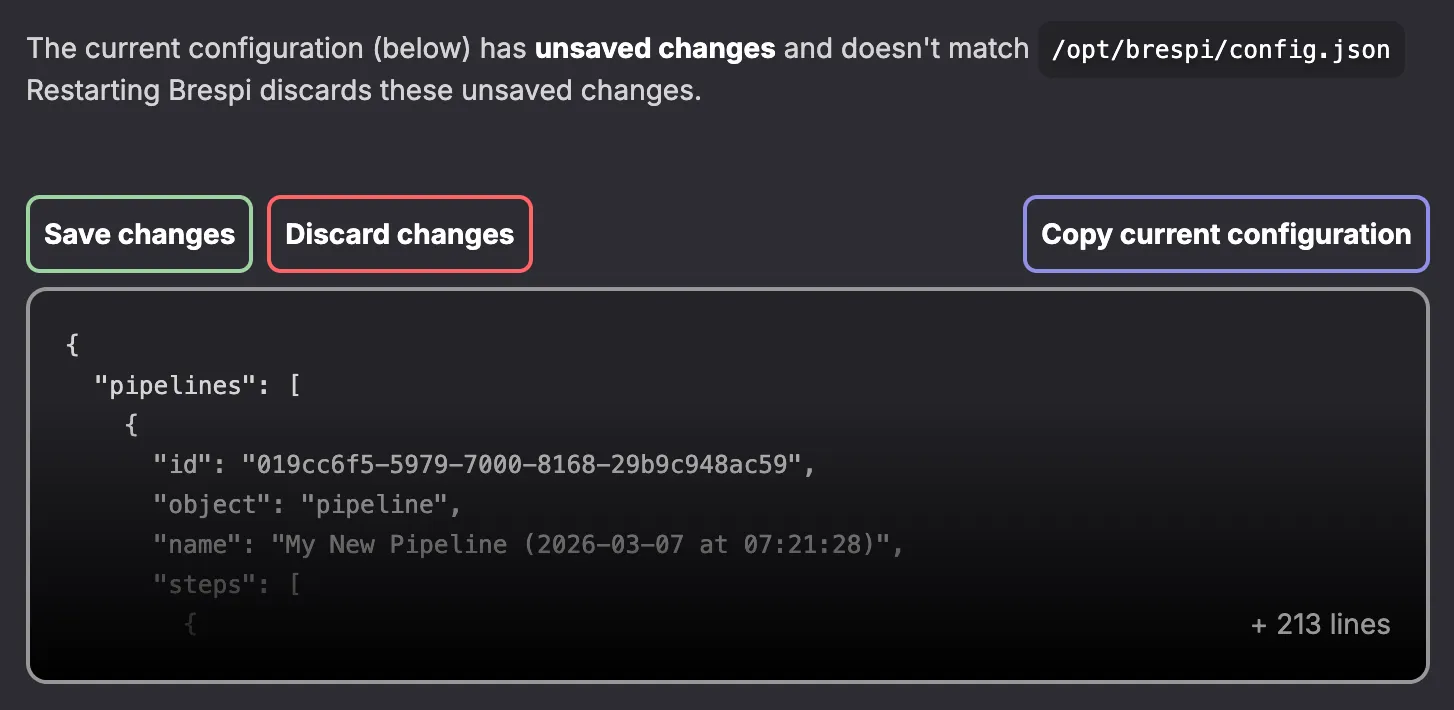
From there, you can either:
- Save, to persist your changes on disk, or
- Discard, to revert to the last saved state
This two-phase model means you can experiment freely in the UI without worrying about accidentally overwriting your working configuration.
config.json
The configuration file is stored at /opt/brespi/config.json. If you're using a provisioning tool like Ansible, you'll want to keep this file under version control, and mount it during your server provisioning.
This also explains why you should use ${VARIABLE} syntax for sensitive fields like database credentials and encryption keys when defining pipeline steps: without it, those values would appear as plaintext inside this JSON file.
data/
The /opt/brespi/data/ directory contains Brespi's runtime state like execution history and any active or inactive toggles for schedules and notification policies.
This runtime data is stored separately from the configuration JSON file. Losing the data/ directory means:
- losing your execution history
- losing whether any schedules or notification policies were (temporarily) deactivated: they'd all be reverted to their default state (active)
While losing the data/ directory isn't necessarily a big problem, it's nevertheless recommended to mount /opt/brespi/data/ as a persistent volume.