Pipelines
The main concept in Brespi is that of a pipeline: a sequence of steps that produce, transform and consume files (or folders) called artifacts to perform backup or restore operations.
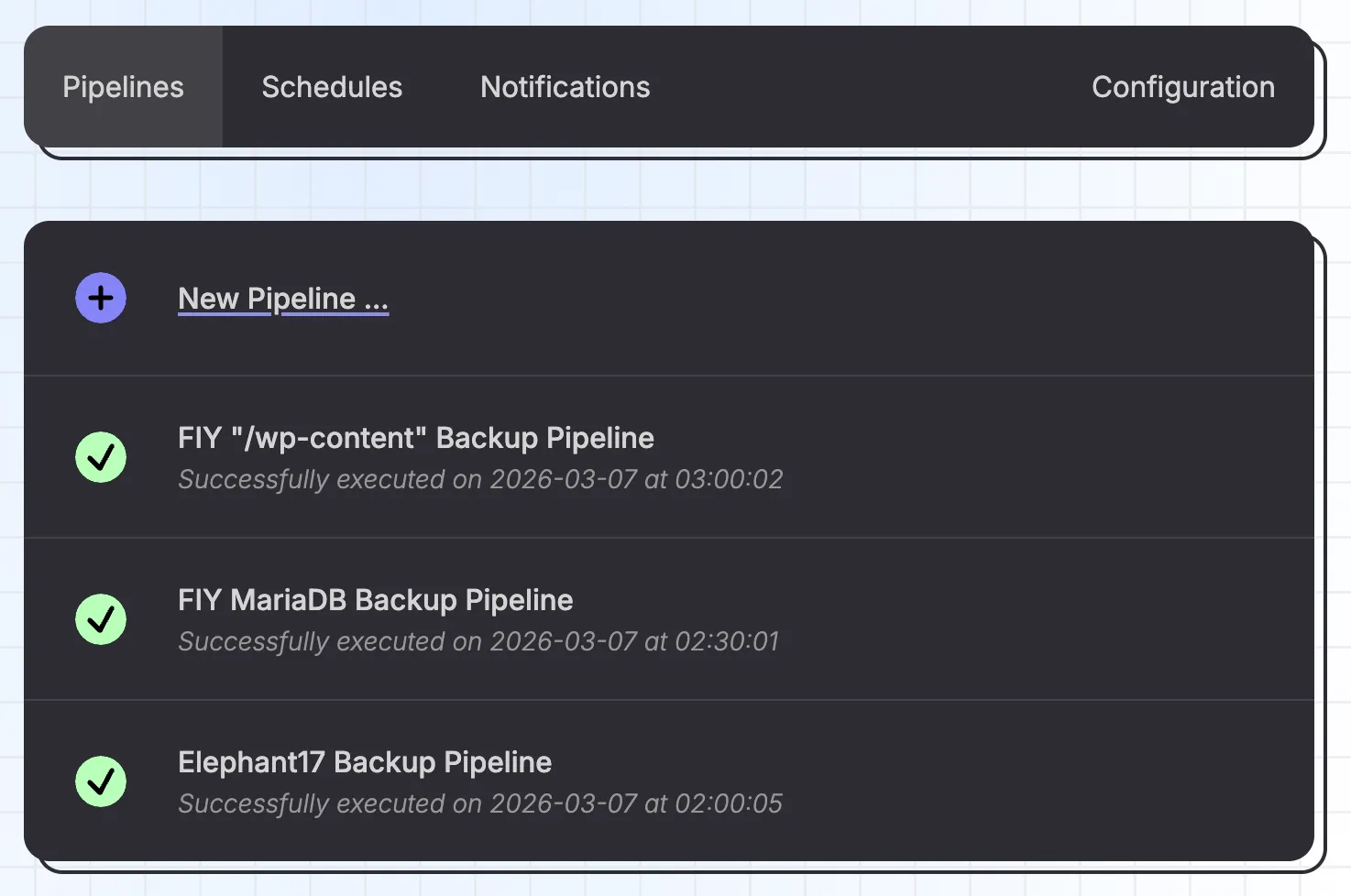
Editor
Pipelines are built from (connected) steps via the editor.
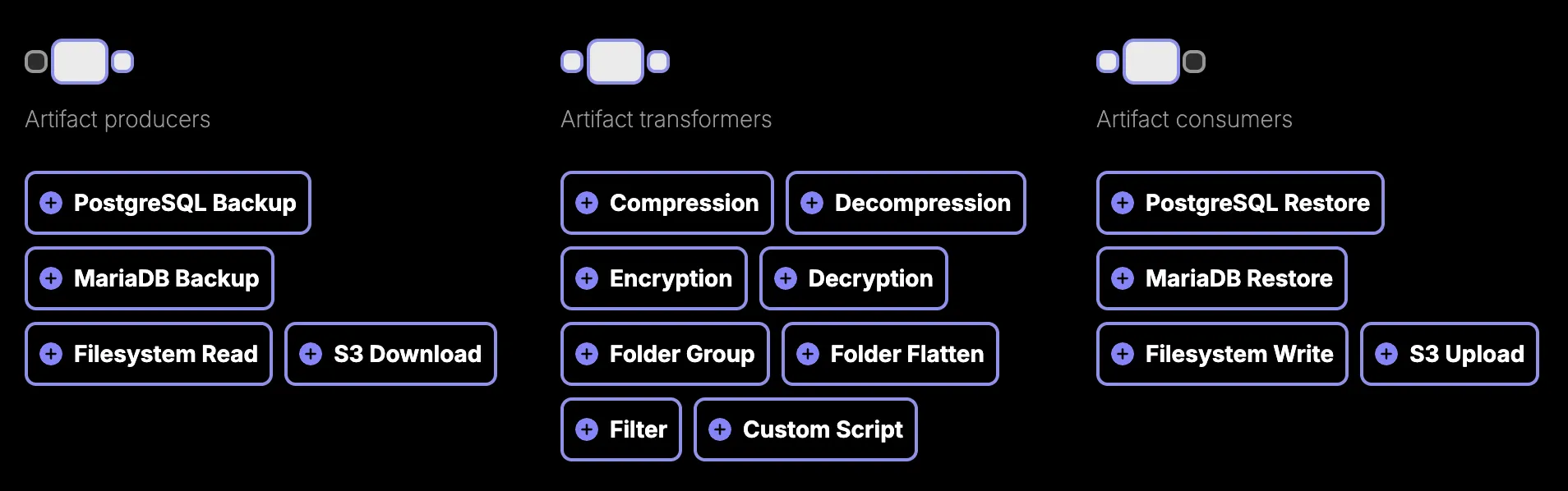
Each step has a specific role; they're categorized as producers (create artifacts), transformers (modify artifacts) or consumers (write artifacts to a final destination).
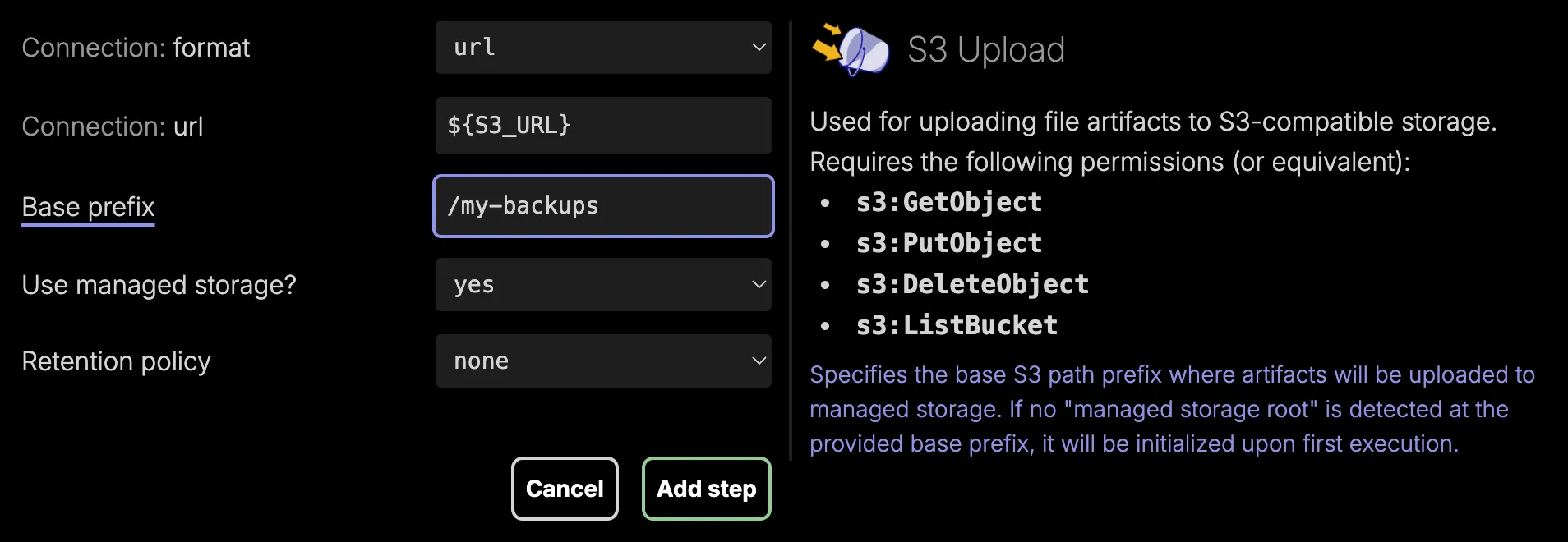
When adding a new step to a pipeline, you can click any of the field labels for more information. You can use ${PROPERTY} syntax in any step field to resolve certain values (like connection URLs or encryption keys) at the time of execution.
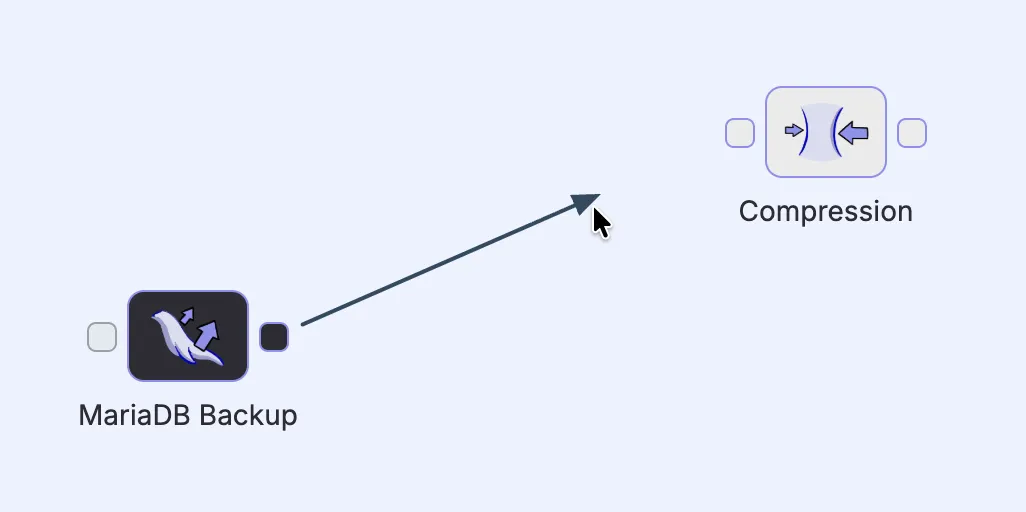
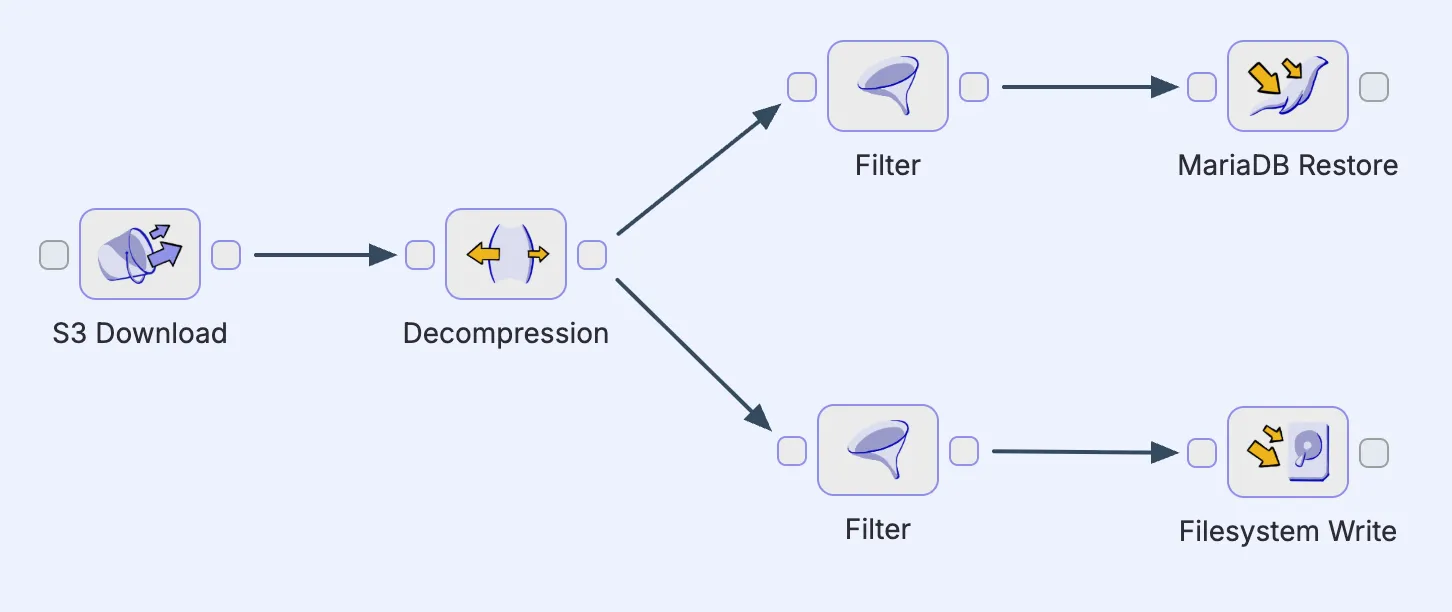
Added steps appear as blocks with input and output ports, which can be connected by arrows (click and drag) that define the flow of artifacts from one step to the next. This makes it possible to chain multiple steps together into a pipeline.
It's good to note that pipelines aren't necessarily limited to single linear chains. A step can have its output flow to multiple downstream paths in parallel. But keep in mind that every pipeline can only have a single starting step.
Custom scripts
One specific step worth calling out is the Custom Script. For any operations that aren't covered by the built-in steps, this one can fill the gap by executing an arbitrary bash script.

When passthrough is active, any artifacts automatically flow from the step's input to its output without modification, which is useful for side-effect scripts like logging.
When passthrough is not active, the script is fully in control and receives 2 environment variables:
- an
inputdirectory path, containing the input artifacts (if any) flowing into this step - an
outputdirectory path, where the script is responsible for writing its output artifacts (if any)