Configuration
Visage is configured through a combination of environment variables, network settings and a small number of files mounted under /opt/visage.
Networking
This section applies when you're deploying Visage behind a reverse proxy like Nginx, Caddy or Apache. There are a few things to keep in mind when wiring it up.
If your reverse proxy applies its own authentication layer, the following URLs should be left open so your visitors' browsers can reach them:
/ifor the ingestion endpoint/vis.jsfor the tracker script/api/**(optional) only if you want to expose the token-protected API endpoints (*) to other systems (otherwise, it's fine to leave these doubly protected)
Additionally, if you'd like to enable geo enrichment (see below), your reverse proxy should be configured to send X-Forwarded-For headers containing your visitors' IP addresses, so Visage can resolve them into countries and cities.
You'll also need to set the environment variable VISAGE_TRUST_PROXY to true, see Environment vars.
(*) Note: internally, Visage uses the
/internal-api/**namespace for its endpoints, so opening up/api/**does not grant any internal access beyond the token-protected API endpoints described here
Geolocation
Country and city breakdowns are derived using MaxMind's free GeoLite-City GeoIP database.
This feature is fully optional: if you don't configure it, Visage still works but won't derive any country or city data from your visitors.
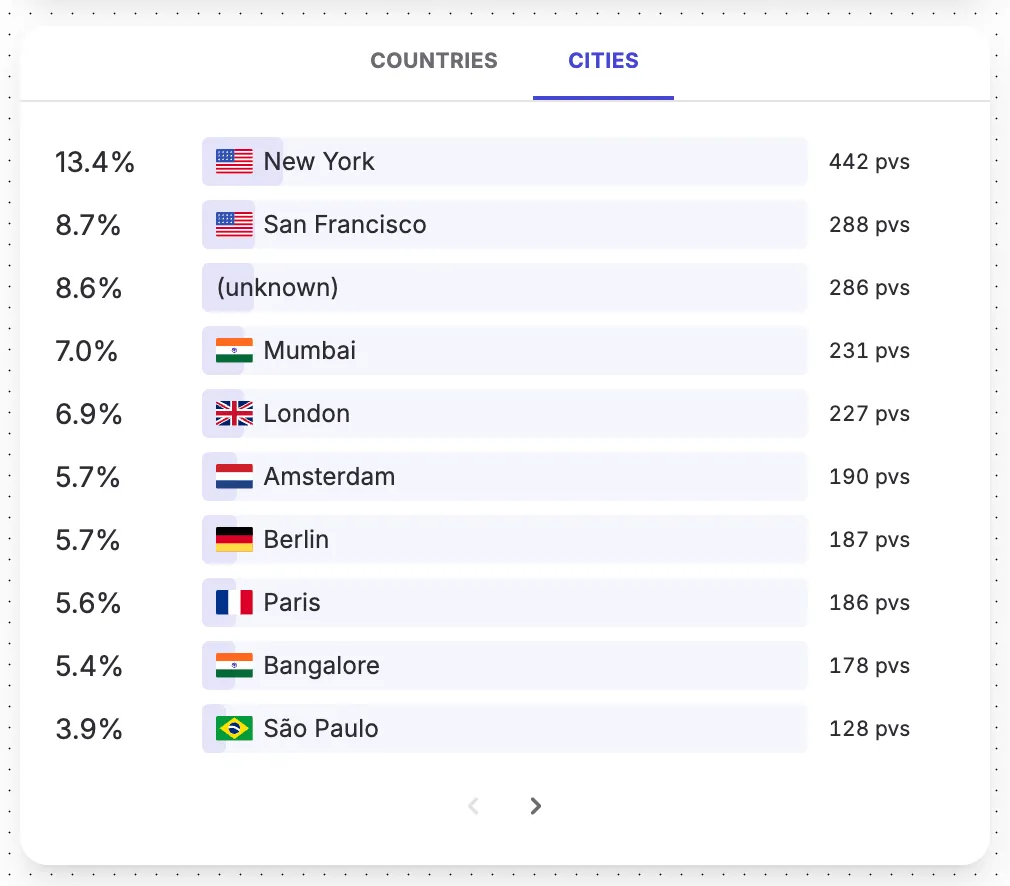
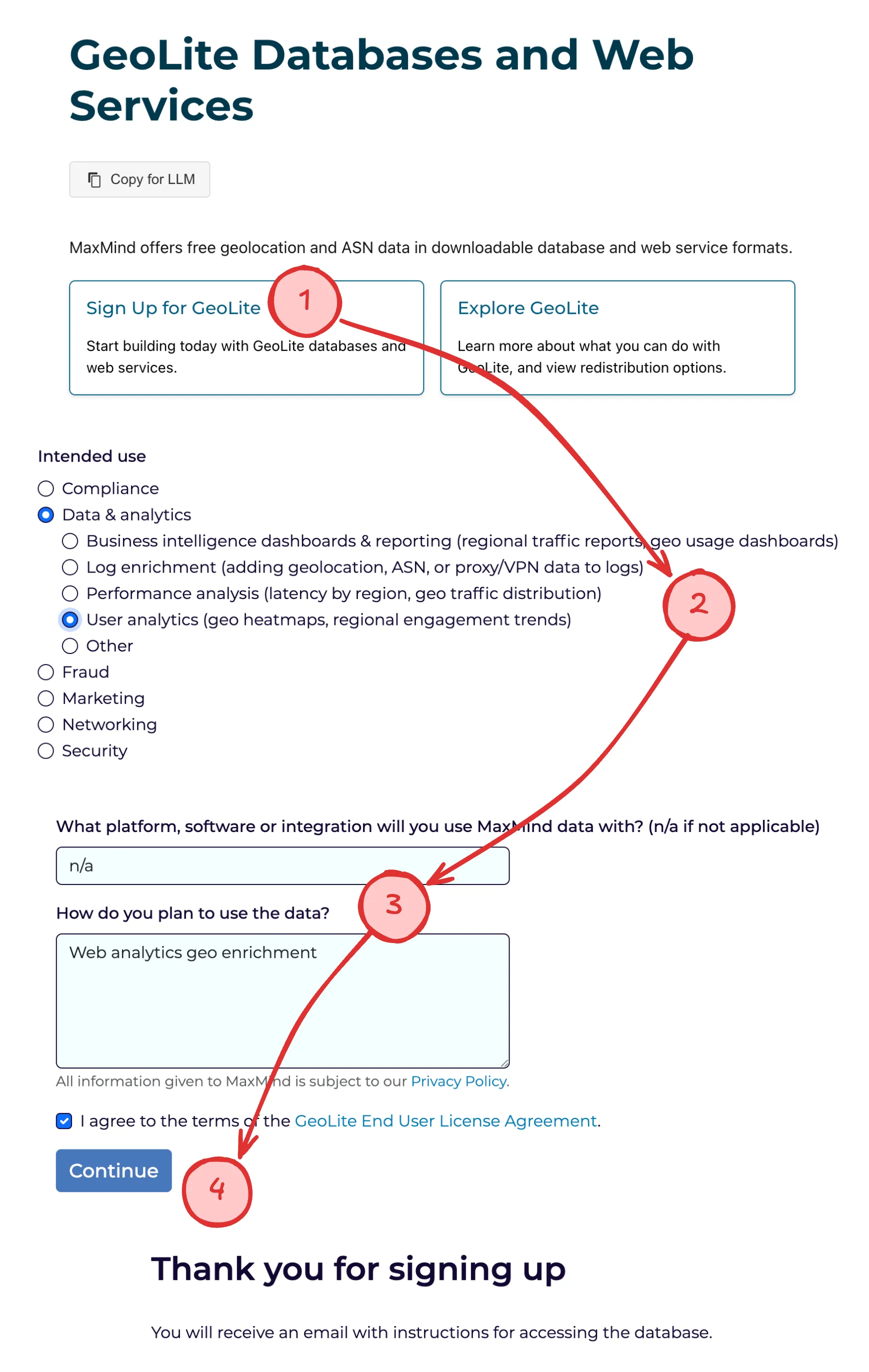
If you wish to enable geolocation enrichment, you'll have to create a free MaxMind account.
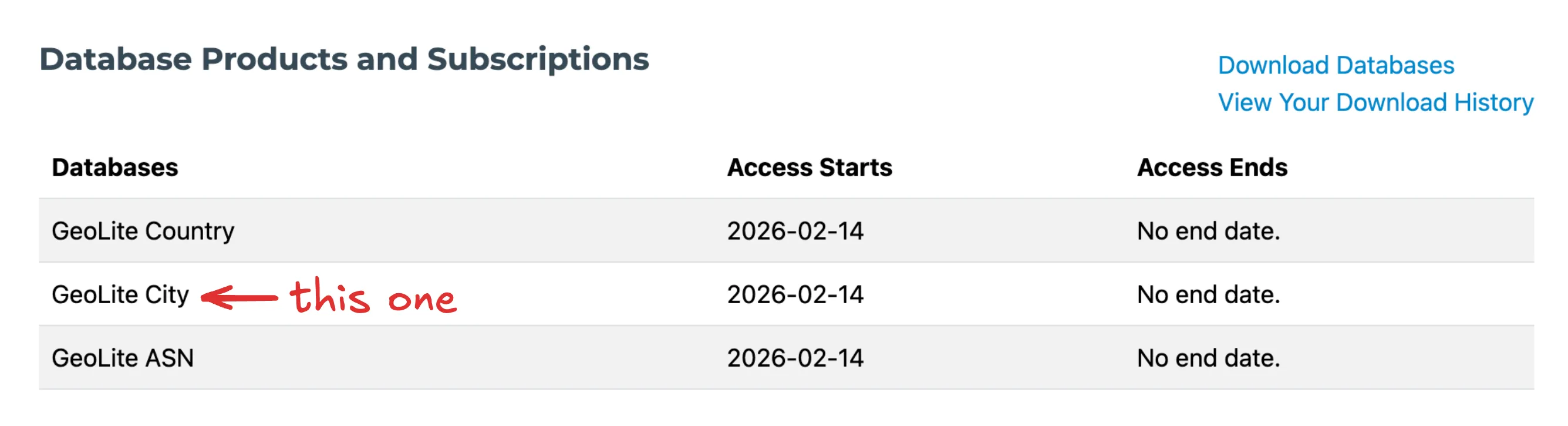
Next, verify your e-mail address, configure a password, and log in to your account. The Database Products and Subscriptions overview should list your access to the GeoLite City database.
Next, generate a license key for Visage.
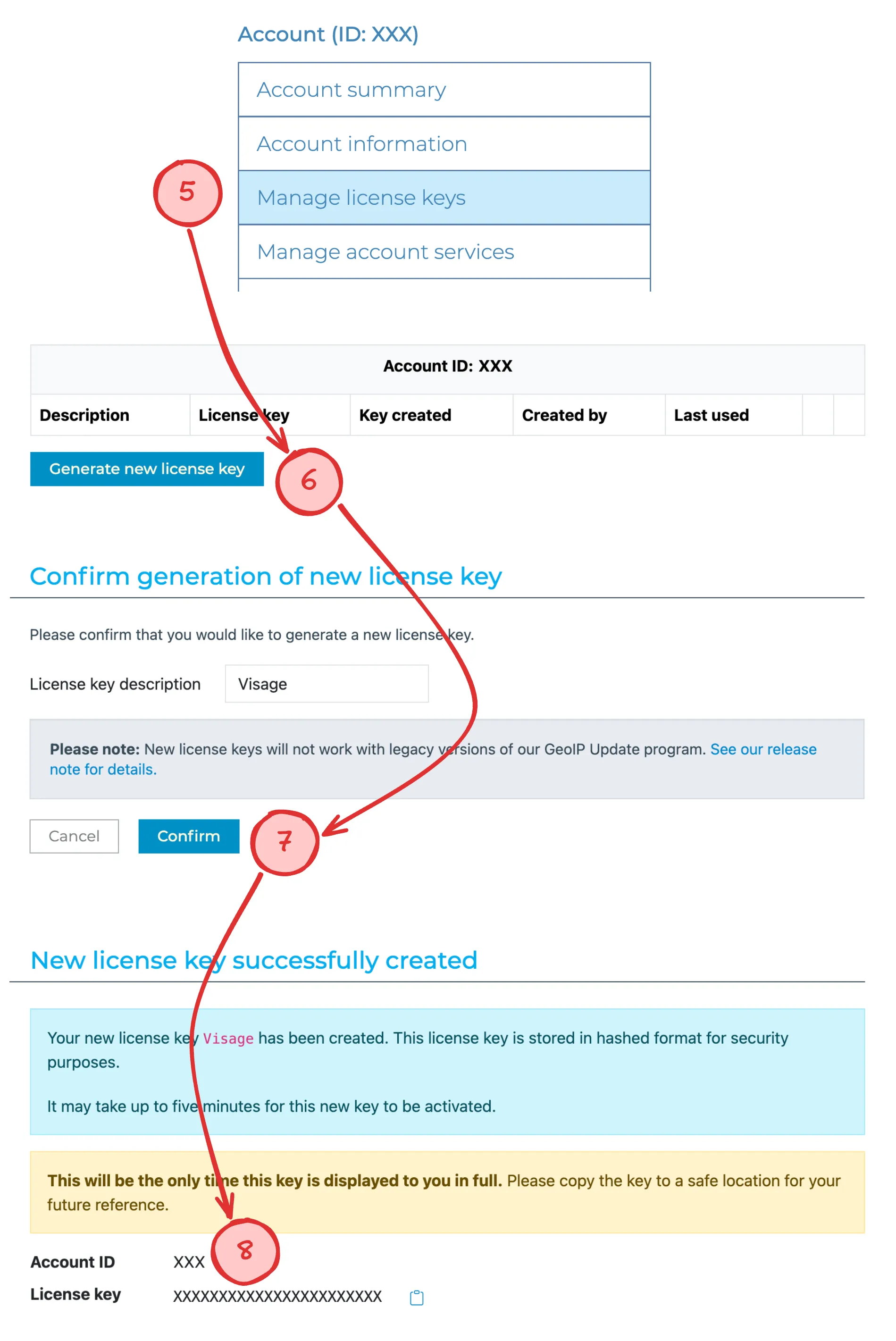
Your MaxMind Account ID and License key should be provided as environment variables to Visage. See Environment vars for more information.
Visage keeps MaxMind's database up to date automatically, checking for updates once per day. Per MaxMind's EULA, any local copy older than 30 days is automatically discarded.